Credentials behind the Keychain
Passwords and private keys are encrypted with the macOS Keychain and stored only on disk. No MCP tool ever returns a credential; agents refer to servers by name or id.
 FTP Man
v0.1.0
FTP Man
v0.1.0
macOS · FTP · FTPS · SFTP · MCP
FTP Man keeps your hosting accounts and credentials on your Mac and hands AI agents like Claude Code file-operation tools only. Passwords never leave the machine by any path.
Apple silicon · Intel · macOS 12+ · Signed & notarized
Passwords and private keys are encrypted with the macOS Keychain and stored only on disk. No MCP tool ever returns a credential; agents refer to servers by name or id.
Pick servers by tag or list, hand over one operation, and get a per-server result. One failure never stops the rest.
Require in-app approval for writes and deletes, or lock everything with read-only mode. Every call lands in the activity log.
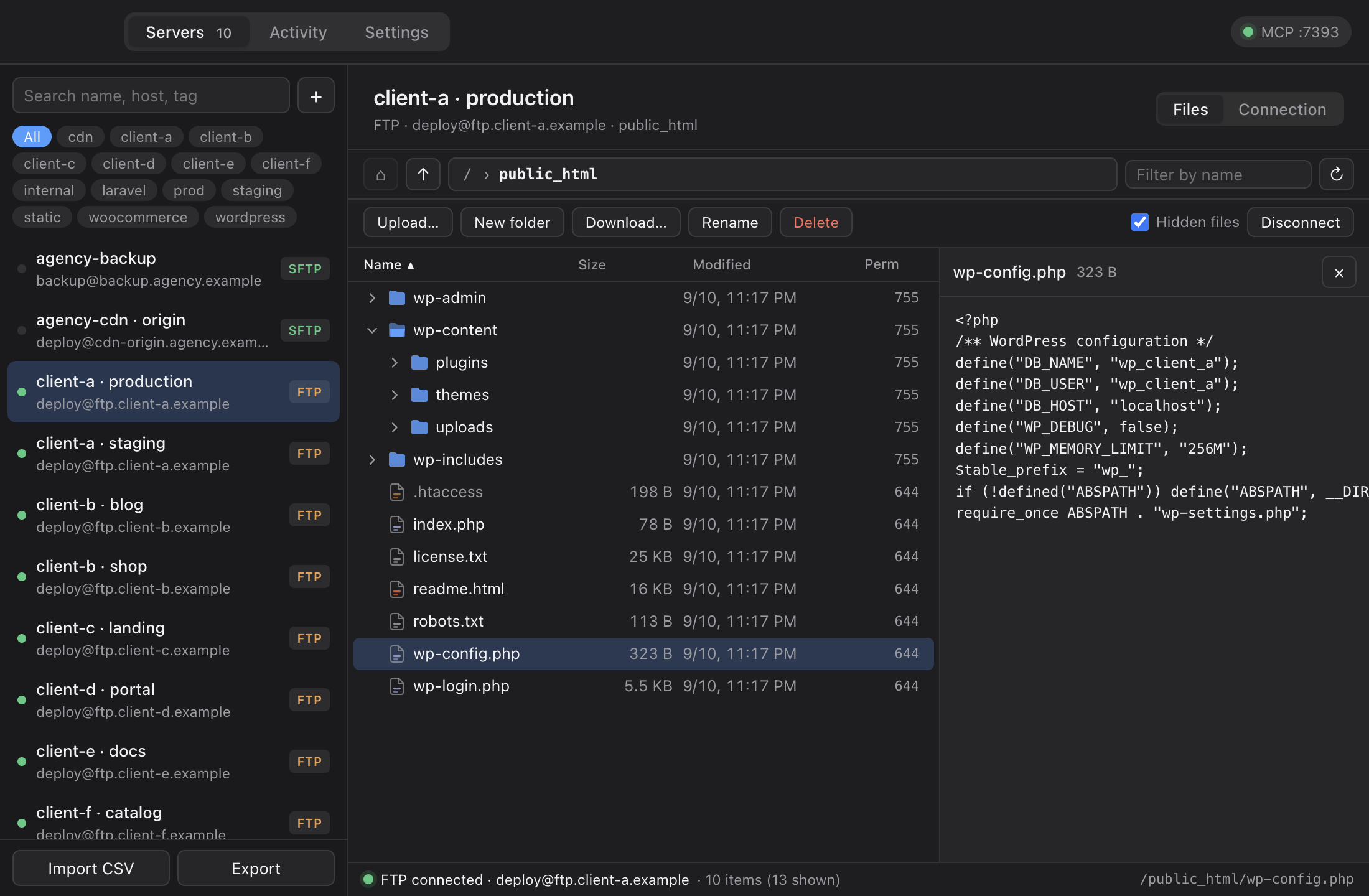
Path bar, expandable tree, sortable columns, text preview, upload, download, rename and delete. See what the agent did with your own eyes.
Register 100 servers from one CSV: name, host, protocol, account, tags. Passwords are encrypted on import.
name,host,protocol,username,password,tags
client-a,ftp.client-a.com,ftp,deploy,•••••,wordpress;client-a
client-b,sftp.client-b.io,sftp,ubuntu,•••••,wordpress;client-b
The app serves a token-protected MCP endpoint on 127.0.0.1. Paste one command from the Settings tab. A bridge for stdio-only clients is bundled.
claude mcp add --transport http ftp-man \
  http://127.0.0.1:7391/mcp \
  --header "Authorization: Bearer ‹token›"
“Read wp-config.php on every wordpress server and tell me where WP_DEBUG is on.” The agent makes one batch call and gets a result per server.
batch {
  tag: "wordpress",
  operation: { type: "read_file",
               path: "wp-config.php" }
}
→ 106 results · 101 ok · 5 failed
Exactly these thirteen. None of them returns a credential.
| list_servers | read | Servers and tags, never credentials |
| test_connection | read | Connectivity and base directory |
| list_files | read | List a directory |
| get_file_info | read | Stat a path |
| read_file | read | File contents, size-limited |
| find_files | read | Recursive glob search |
| download_file | read | Download to this Mac |
| write_file | write | Create or overwrite with text |
| upload_file | write | Upload a local file |
| make_directory | write | Create directories |
| rename_path | write | Rename or move |
| delete_path | write | Delete, optionally recursive |
| batch | batch | Run one of the above across many servers |
Open the DMG and drag the app to Applications. The Claude Code connection command is in the Settings tab.
{ "mcpServers": { "ftp-man": {
    "command": "node",
    "args": ["/Applications/FTP Man.app/Contents/Resources/bridge/ftp-man-mcp.mjs"] } } }